
What Our Users Say
Trusted by writers, researchers, students, and professionals worldwide
ProseWrite is a game-changer for voice dictation. No more struggling with punctuation or learning new skills — just talk, and ProseWrite turns your thoughts into polished text effortlessly. I even used it to transform my video content into top-notch written posts with minimal editing. Honestly, the output was better than what I said in the video!

I had over 100 hours of video content to transcribe from the spring 2026 semester alone. I wouldn't have been able to do it with the time available if it wasn't for ProseWrite.
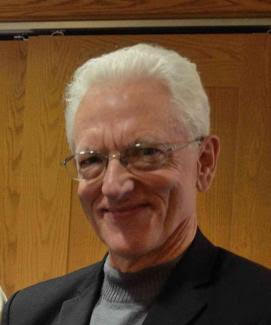
I have been a writing 'dictator' for my entire career, and finally we have access to tools to make my transcription fast, accurate and streamlined. ProseWrite is a remarkable new addition to that toolkit, to take away the drudgery so that my time and effort is used to create stories!

ProseWrite is the future of transcription, offering fast and accurate transcriptions while also editing for typos. It eliminates the dreaded clean-up problem that many 'dictators' face. It has been a game-changer for my writing, and it will turn the art of dictation into a science for a lot of writers.

As a long-time editor, I am reluctant to recommend an editing software which in theory could eliminate my job, but here I am. ProseWrite is different. It's a dictation/editing tool that works in conjunction with your editor. Nothing can replace a real-life editor but ProseWrite can help make sure what you do send your editor is the best you have to offer.

ProseWrite is a game-changer for voice dictation. No more struggling with punctuation or learning new skills — just talk, and ProseWrite turns your thoughts into polished text effortlessly. I even used it to transform my video content into top-notch written posts with minimal editing. Honestly, the output was better than what I said in the video!
I had over 100 hours of video content to transcribe from the spring 2026 semester alone. I wouldn't have been able to do it with the time available if it wasn't for ProseWrite.